Your shop's credit book, now on your phone.
Record every customer's credit and payments in one place. See who owes how much and whose payment is overdue on a live dashboard, and send a WhatsApp reminder in one tap.
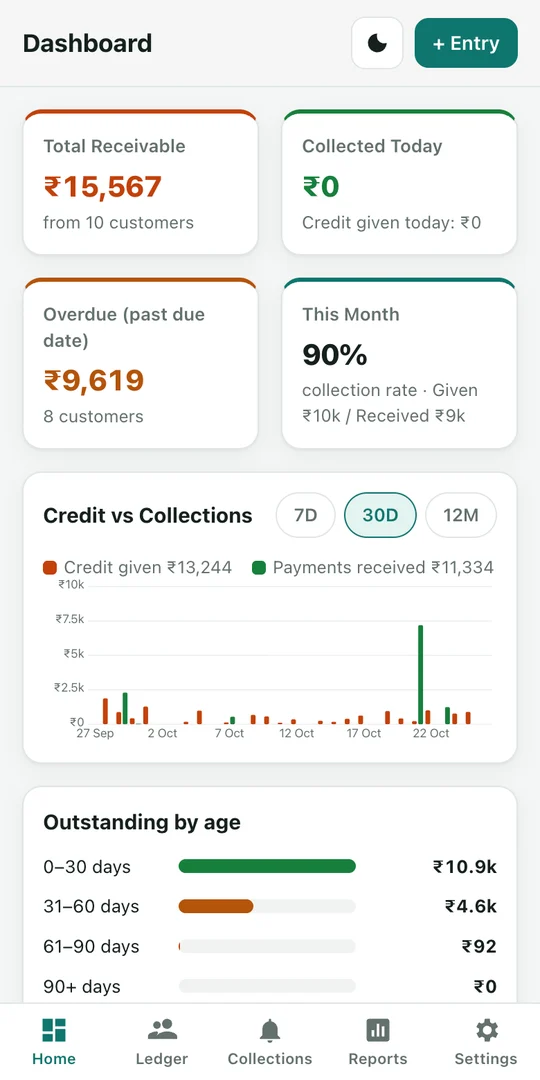
Your whole credit book in one app
Everything you used to write in a register — and a lot more.
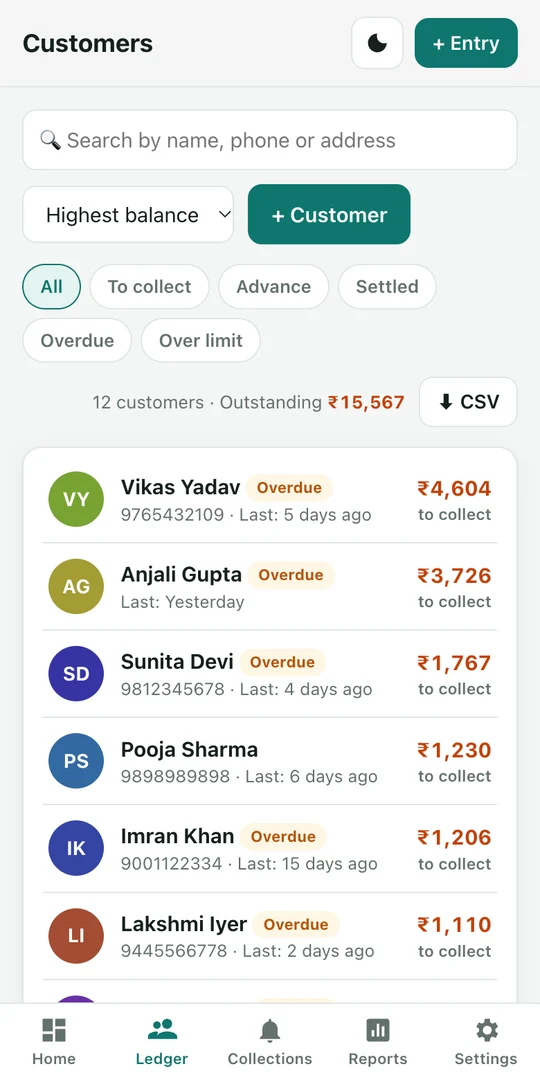
A ledger for every customer
Name, phone, address and credit limit. Record credit given and payments received, with a running balance on every entry.
Live dashboard
Total receivable, today's collections, overdue amounts, this month's collection rate and credit vs collection charts.
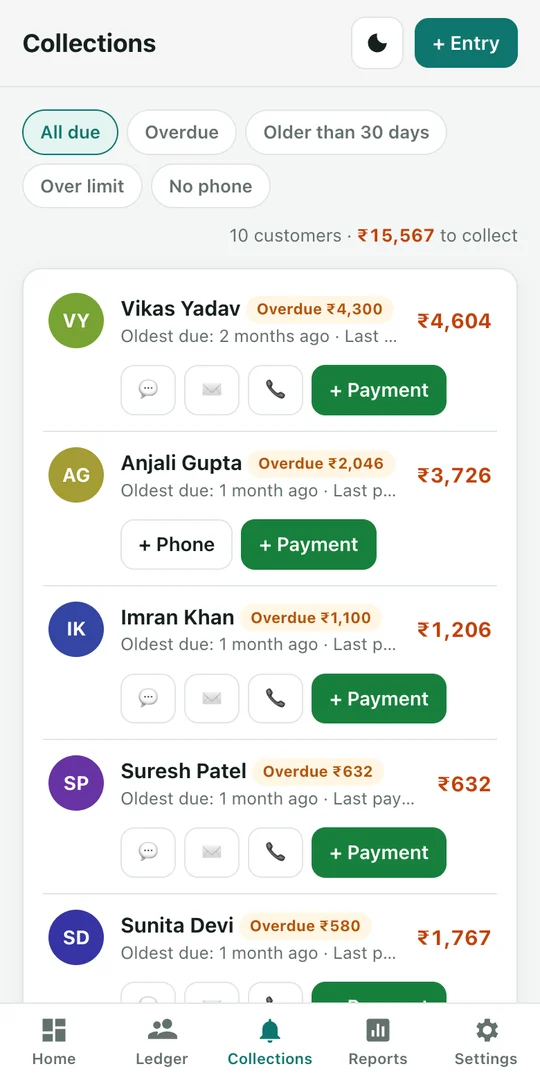
WhatsApp & SMS reminders
Send a reminder with the balance due in one tap. Customise the message to suit your shop.
Item lists
Add items with quantity and rate to a credit entry and the total is calculated for you. Set a due date too.
Overdue & ageing
See instantly whose payment has been pending for 30, 60 or 90 days, with a warning when a customer goes over their limit.
Reports & export
Today, week, month, financial year or a custom range. Collections by payment mode, CSV export and shareable statements.
Lost your phone? Your ledger is safe.
Log in with email or Google and your ledger is backed up to the cloud after every entry. Log in on a new phone and all your customers and entries come back.
- Works without internet — backs up as soon as you are online
- Use one account on two phones — the data is merged
- Your data lives only in your account — nobody else can see it
- Keep the app locked with a PIN
A look inside
How to install the APK
It takes about a minute.
Download
Tap "Download for Android" above to get CreditBook.apk.
Open the file
When the download finishes, open the APK from the notification or your Files app.
Allow the install
Android asks for permission to install unknown apps — allow it for your browser.
Install & log in
Tap Install, open the app and log in with email or Google.
Frequently asked questions
Is Credit Book free?
Yes, it is completely free. No ads and no hidden charges.
Does it work without internet?
Yes. Every entry is saved on your phone. If you are logged in, it is backed up to the cloud automatically as soon as you are online.
Do I have to log in?
No. You can use the app without logging in, but then your data stays only on that phone. Logging in means you get your ledger back if you change phones.
Who can see my data?
Only you. Your backup is tied to your account, and security rules stop any other user from reading it.
How do I send a reminder to a customer?
Tap the WhatsApp or SMS button on the Collections page or in the customer's ledger. The message is ready with the balance due — just tap Send.
How do I delete my account and data?
In the app, go to Settings → "Delete account and cloud backup". This permanently deletes your login and your cloud backup. More details.
Move your credit book to your phone today
No more registers, pens or missed entries.
Download for AndroidAPK · Free